DataExplorer
Table of Contents
DataExplorer is looking for contributors for new supported languages and/or new supported devices.
If you're interested, please take a look at this
Contributing.
Thanks.
Introduction
The DataExplorer is free software, please see https://www.gnu.org/philosophy/free-sw.html.
It is also available at no cost, but without any warranty.
Since the implementation is based on Java, using free available libraries for data communication and SWT, the execution
of this program is possible under a number of popular 64 bit operating systems like GNU/Linux and MS Windows and Mac OS.
A Java runtime will be packaged together with the installation file.
This make installation and usage more easy.
There is no need to install a Java runtime anymore.
Since the MAC OS versions are based on Intel code runtime, DataExplorer runs in the Rosetta emulation layer.
An Android version of DataExplorer is available via PlayStore.
The DataExplorer gathers data from connected devices and display this data for a various of further analysis.
Actual the following devices are available as plug-in:
- AkkuMasterC4 (Htronic) - 4 outlet battery charger/discharger
- Akkumatik (Estner) - battery charger/discharger
- 4D-AkkuMonitor (4D) - battery monitor
- ArduPilot - UAV log analyzer (beta-version)
- AV4ms (Fritz Mössinger/accu-select) 4 slot battery charger/discharger firmware >= 762
- CellLog 8S, (Junsi) battery cell monitor
- Core-Telemetry, (PowerBox Core) telemetry data analysis
- CSV-Import generic form (beta-version)
- CSV2SerialAdapter, import of configurable CVS data files
- D100 (SkyRC) 2 channel charger/discharger USB-HID
- D100 V2 (SkyRC) 2 channel charger/discharger USB-HID
- D200neo (SkyRC) 2 channel charger/discharger USB-HID (can be used with Linux only)
- Devo-Telemetry (Devention) telemetry log analysis
- DataVario, DataVarioDuo (WStech) variometer, GPS, multi measurement device
- Dynamite Passport GPS Speed Meter (Horizon Hobby) GPS Logger
- Eagle PR (RC-Electronics) GPS Logger for pylon racing
- eStation BC6 50W, BC6 80W(dx), BC610, BC8, 902 (Bantam) charger/discharger
- FlightRecorder (Multiplex) telemetry log analysis
- Futaba-Telemetry (Robbe/Futaba) telemetry log analysis
- GigaLogger (Simprop) multi logger
- GSM-015 GNSS Speed Meter (SkyRC) GPS Logger
- GPS-Logger (SM-Modellbau) - GPS, variometer integrated
- GPS-Logger2 (SM-Modellbau) - GPS, variometer with TEK integrated
- GPS-Logger3 (SM-Modellbau) - GPS, variometer with TEK integrated
- GPXAdapter GPS Exchange Format file analyzer, extensions prepared for Mikrokopter
- Herkules III Telemetry (Andreas Baier) Copter ESC Module
- Hitec DRX1 (Hitec DRX1 Pro) charger/discharger
- Hitec X1 Red charger/discharger
- HoTTAdapter (Graupner) telemetry data analysise
- HoTTViewerAdapter (Graupner HoTTViewer files)
- iCharger 106B (Junsi) charger/discharger
- iCharger 206B (Junsi) charger/discharger
- iCharger 208B (Junsi) charger/discharger
- iCharger 306B (Junsi) charger/discharger
- iCharger 3010B (Junsi) charger/discharger
- iCharger 308DUO (Junsi) 2 channel charger/discharger USB-HID
- iCharger 406DUO (Junsi) 2 channel charger/discharger USB-HID
- iCharger 4010DUO (Junsi) 2 channel charger/discharger USB-HID
- iCharger 456DUO (Junsi) 2 channel charger/discharger USB-HID
- iCharger 458DUO (Junsi) 2 channel charger/discharger USB-HID
- iCharger 4512DUO (Junsi) 2 channel charger/discharger USB-HID
- iCharger X6 (Junsi) charger/discharger USB-HID
- iCharger S6 (Junsi) charger/discharger USB-HID
- iCharger X8 (Junsi) charger/discharger USB-HID
- iCharger X12 (Junsi) charger/discharger USB-HID
- iCharger DX6 (Junsi) 2 channel charger/discharger USB-HID
- iCharger DX8 (Junsi) 2 channel charger/discharger USB-HID
- iCharger DX12 (Junsi) 2 channel charger/discharger USB-HID
- IGCAdapter (International Gliding Commission) file analyzer
- iMax B6 (SkyRC) charger/discharger
- iMax B6 V2 (SkyRC) charger/discharger USB-HID
- iMax B6 mini (SkyRC) charger/discharger USB-HID
- iMax B8+ (SkyRC) charger/discharger
- IISI Cockpit (Multiplex) Matthias Isler
- JetiAdapter (Jeti, Jeti-Box) telemetry data analysis
- JLog2 (SM-Modellbau) - ESC motor driver logger
- Kosmik (Kontronik) - ESC motor driver with integrated loggger
- LinkVario, LinkVarioDuo (WStech) variometer, GPS, multi measurement device
- LiPoWatch (SM-Modellbau) - LiPo saver, cell voltage measurement
- LogView OpenFormat Zero (LogView) - user defined device log format
- NMEA-Adapter (diverse) - GPS track analyzer
- MC3000 (SkyRC) single cell charger/discharger USB-HID
- Modster200 (SkyRC) charger/discharger USB-HID
- Modster600 (SkyRC) charger/discharger USB-HID
- OpenTx-Telemetry - telemetry data analysis
- Pichler P6 50W, P6 80W, P60 (Pichler) and other eStation BC6 clones charger/discharger
- Picolario (Renschler) - variometer
- Picolario2 (Renschler) - variometer
- Polaron Ac/Dc Sports (Graupner/SJ) - battery charger/discharger
- Polaron EQ (Graupner/SJ) - battery charger/discharger
- Polaron EX (Graupner/SJ) - battery charger/discharger
- Polaron Pro (Graupner/SJ) - battery charger/discharger
- Polaron EX 1400 (Graupner/SJ) - battery charger/discharger
- Pulsar 3 (Elprog) - battery charger/discharger
- QC-Copter/QuadroControl (tt-tronix) control unit
- Q200 (SkyRC) 4 channel charger/discharger USB-HID
- Raytronic C60 (Raytronic) battery charger/discharger
- S32/JLog3 (R2Prototyping) - ESC logger
- Spektrum-Telemetry (Spektrum) - telemetry data analysis
- Triangoli - triangle flight analysis
- Ultramat AC/DC EQ (Graupner) charger/discharger
- Ultramat12 (Graupner) charger/discharger
- Ultramat16 (Graupner) charger/discharger
- Ultramat16S (Graupner) charger/discharger
- Ultramat18 (Graupner) charger/discharger
- Ultra Duo Plus 40 (Graupner) charger/discharger
- Ultra Duo Plus 45 (Graupner) charger/discharger
- Ultra Duo Plus 50 (Graupner) charger/discharger
- Ultra Duo Plus 60 (Graupner) charger/discharger
- Ultra Duo Plus 80 (Graupner) charger/discharger
- Ultra Trio Plus 14 (Graupner) charger/discharger
- Ultra Trio Plus 16S (Graupner) charger/discharger
- Ultra Quick 70 (Graupner) charger/discharger
- UniLog (SM-Modellbau) multi - measurement device
- UniLog2 (SM-Modellbau) multi - measurement device with cell voltage analysis
- UT61E (UniTrend) multimeter
- VC820, VC840 (Conrad/VoltCraft) multimeter
- Weatronic-Telemetry (Weatronic) telemetry data analysis
- WDE-1 (ELV) Weather-Data-Receiver beta-version
More device are under construction. Help doing this is very welcome.
New similar to existing devices can be easily created by using the integrated DevicePropertyEditor application without coding effort.
A device API (IDevice) is defined to enable a relative simple adaptation of a new device as plug-in to integrate into the application framework.
Inquiries about APIs and how to integrate new devices into the
framework are welcome (send questions to
https://lists.nongnu.org/mailman/listinfo/dataexplorer-help
or direct to the maintainer mailto:Winfried.Bruegmann@web.de.
Screen shots
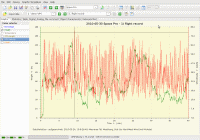
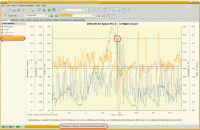
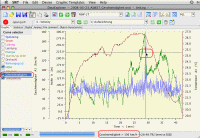
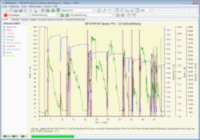
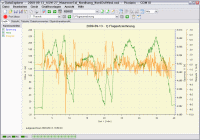
Ubuntu, Kubuntu, Mac OS X, Windows 7, Windows XP (klick to resize)
Download
The latest version of DataExplorer can be found and downloaded at
downloads or
https://download-mirror.savannah.gnu.org/releases/dataexplorer/.
Currently, the latest is quite often the greatest, so consider trying out the anonymous checkout of
GIT provided on savannah.
Troubleshooting
The overall procedure while start-up trouble should be to open a command line prompt (GNU/Linux bash, Windows command line shell, MAC OS X Terminal)
and change into the directory in which you find the DataExplorer start executable (GNU/Linux DataExplorer script, Windows DataExplorer.exe, MAC OS X DataExplorerMac64 script).
In this directory execute the start script.
If there are some errors with the Java environment you will get an meaningful responds.
To check out if Java can be executed at all just enter "java -version".
More help can be found in users temporary direcory in the bootstrap.log file.
Support of obsolete operating systems
The DataExplorer application should sometimes run on a system with a back-level operating system.
Hopefully the system doesn't connected to Internet while the operating system doesn't receive updates anymore!
The Java runtime or service environment should be already installed with version 8 (1.8).
Java installation executables may hard to find or not be available anymore.
Actual GNU/Linux systems comes with GTK4 instead of GTK3/2. The SWT-toolkit with version 4.* support both.
Anyhow sometimes an older SWT-toolkit results in a better UI representation while using a back level Linux with GTK2.
Export SWT_GTK3=0 to force usage of GTK2 (start script) or try an older SWT-toolkit (swt.jar).
Windows XP does not support SWT-toolkit 4.* as actually used, just replace SWT-toolkit with a version 3.* by replacing swt.jar
MAC OS X changed USB API with 10.14 Mojave release.
Therefore for Mac OS X <= 10.13 High Sierra usb4java release 1.2.0 needs to be used.
This may change with usb4java > 1.3.0 which may use a newer LibUsb library supporting both APIs.
Plug-ins
The DataExplorer application consists of a kernel application and plug-ins.
Very similar devices following the same data schema are grouped into one plug-in.
A good example is the eStation plug-in which groups the eStation BC6, eStation BC610, eStation BC8, eStation 902
and the Pichler P6 as well as the Pichler P60 charger/discharger devices.
There are a lot of charger discharger charger devices which are using the same processor and firmware and are usage compatible.
This clones might not be known by name and therefore are not directly available using the device name.
Such devices can be easily enabled using the DevicePropertyEditor.
Mailinglists
Two mailing lists have been set up on the nongnu.org server.
Use the source
https://savannah.nongnu.org/ is the GNU hosting server, available for general free software packages.
You find the DataExplorer there under https://savannah.nongnu.org/projects/dataexplorer. On Savannah you
can browse the DataExplorer sources in cvs. You can also report bugs there.
For discussions, please use the mailinglists instead of the
Savannah-provided forum, we do not want people to have to look at too many
places for information, and mailman was there first.
Contributing
There are lots of things to do. Current suggestions can be found at the
task manager https://savannah.nongnu.org/projects/dataexplorer. To give you some
ideas:
- There are quite a lot of missing features in varying sizes.
One of the bigger ones is making a universal usable device plug-in which allows user interface guided adaption to real device dependencies.
- You have a device which generates measurement data or store measurement data within it local storage
and you want to integrate it into the DataExplorer as plug-in, contact us!
- Maybe you can help out with a task listed in the task list over at
https://savannah.gnu.org/task/?group=dataexplorer.
If you have some spare time, sign up in bug-gift and help-gift, and tell
us what you would like to do, what kind of hacking you prefer, and we find
out what's best for you. There is enough for everyone.
Translations of
this page:
[ English ][ Deutsch ]
Return to the DataExplorer home page.
Return to the non-GNU Project home page.
Copyright 2010,2011,2012,2013,2014,2015,2016,2017,2018,2019,2020,2021,2022,2023,2024,2025 Winfried Bruegmann
Verbatim copying and distribution of this entire article are permitted
worldwide, without royalty, in any medium, provided this notice, and the
copyright notice, are preserved.
last update: $Date: 2025/12/16 08:59:02 $ $Author: brueg $
![[logo of the DataExplorer]](./dataexplorer.png) [ English ][ Deutsch ]
[ English ][ Deutsch ]