Chapter 2. General operations
2.1. To Create a New File
To create a new file, choose ->. The application displays a new file in the GChemPaint window. The new file uses the default theme.
To create a new file with a differnet theme, choose ->, choose the appropriate theme and valid.
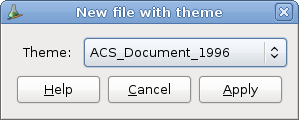
This version of GChemPaint is shipped with only one theme, the default one.
For more informations about GChemPaint themes, see the Themes editing section.